
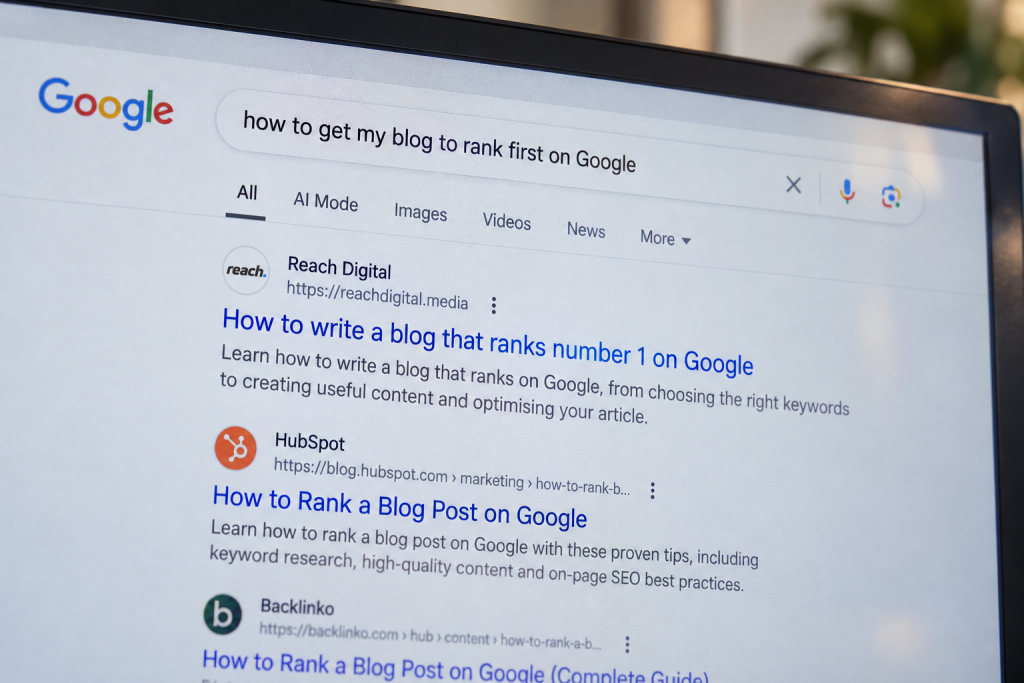
You spend hours writing what you think is the perfect blog post. You hit publish, wait patiently for the visitors to roll in… and nothing happens.
The truth is, writing a blog post is easy. Writing one that actually ranks on Google and consistently brings in organic traffic is an entirely different skill. SEO is no longer about tricking Google’s algorithm or stuffing keywords into every paragraph. It’s about understanding what your audience is searching for, creating the most helpful answer available and making it as easy as possible for both readers and search engines to understand your content.
In this simple guide, we’ll break down 8 practical steps to writing an SEO optimised blog post, covering the easiest techniques used to plan and write content that earns visibility, attracts qualified traffic and stands the best chance of ranking high up on Google.
What Makes a Blog Post SEO Optimised?
Before diving into keyword research or writing your first heading, it’s worth understanding what “SEO Optimised” actually means. A common misconception is that SEO is simply adding keywords to a page. While keywords are important, they’re only a small piece of the puzzle.
Think of it this way. Imagine someone searches for “how to write a blog post optimised for SEO.” They don’t just want a definition of SEO and a couple of tips. They want useful guidance they can follow from start to finish. They expect clear examples, actionable advice and reassurance that they’re following best practice.
Google’s job is to identify which page provides that experience better than any other.
That’s why successful SEO content tends to have several characteristics in common:
- It answers the searcher’s question thoroughly.
- It’s easy to read and navigate.
- It demonstrates genuine expertise.
- It includes supporting information, examples and relevant resources.
- It is regularly reviewed and updated as information changes.
Step 1: Start With Keyword Research
Before you start writing, think about what someone might type into Google to find your blog post. This search phrase is your keyword.
If you found this guide by searching “How to write an SEO optimised blog”, that’s the specific keyword I’m targeting. Choosing a keyword helps you focus your article on a question people are genuinely asking.
Getting this bit right is important. If nobody is searching for your keyword, nobody is going to find your blog. But if you pick something really competitive that loads of established, trusted companies have written articles for, you’ll be trying to outrank huge websites that have been doing SEO for years.
The easiest place to start with choosing a keyword is Google. Type your topic into the search bar and see what comes up. The autocomplete suggestions, ‘People Also Ask’ section and ‘Related Searches’ are all based on real searches individuals are making, so they’re packed with inspiration for questions you hadn’t thought to answer.
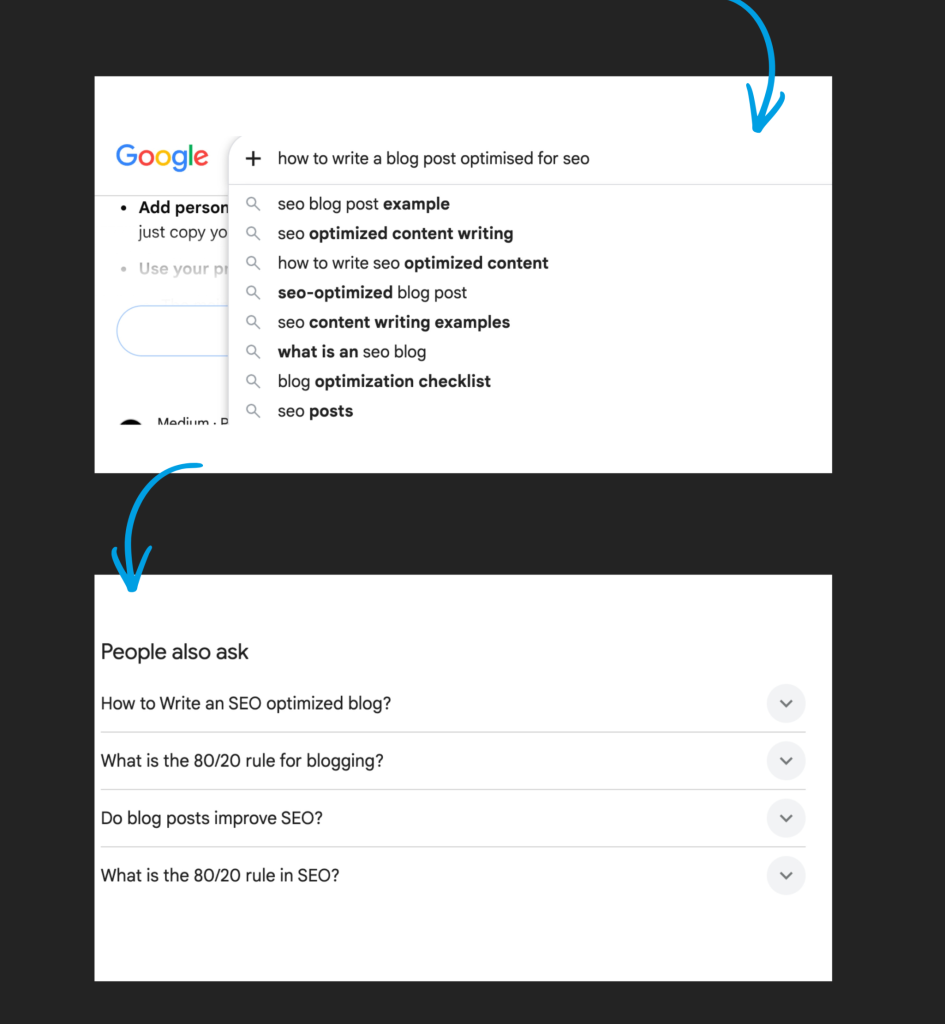
Whilst this is a great starting point for coming up with a list of possible keyword opportunities, we need to take a deeper dive into whether these keywords are actually bringing traffic to the website.
I’d recommend using an SEO tool like Semrush to see if a keyword is worth selecting. By copying competitor article URL’s that rank for your keyword on Google, into ‘organic rankings’ on Semrush, you can see just how well their current blogs are performing.
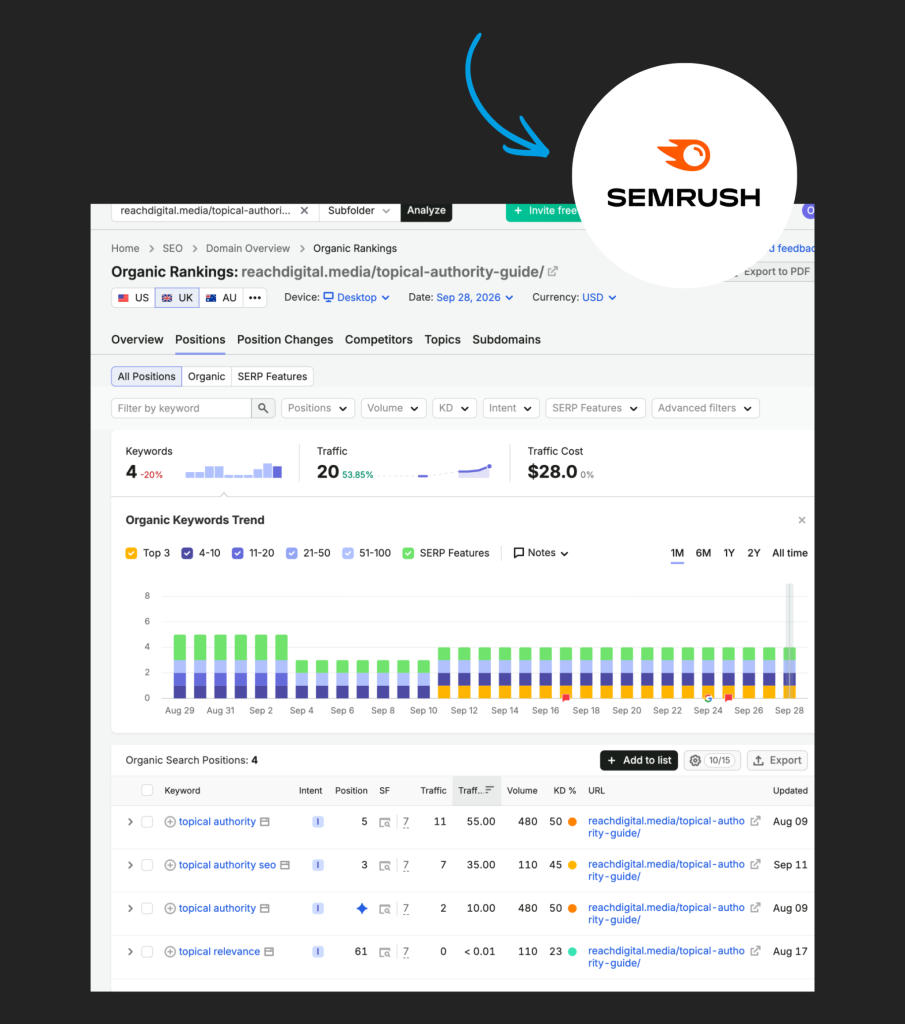
Two of the most useful things to look at under organic rankings is:
1. Search Volume:
An estimate of how many people search for that phrase each month.
High Volume (1,000+ searches/month): Brilliant for broad topics and building brand awareness, however these keywords feature high competition and are difficult for newer websites to rank for.
Medium Volume (100-1,000 searches/month): Considered the sweet spot for a balanced mix of achievable traffic and manageable competition.
Low Volume (10-100 searches/month): Excellent for niche topics or bottom-of-the-funnel commercial intent where searchers are ready to buy or take action.
Zero Volume (0 searches/month): Often means fewer than 10 monthly searches or a very new query, but these can still be worth targeting if they represent high-intent or ultra-specific long-tail questions
If you’re unsure what volume you should aim to achieve for your site:
If you’re a new Website: Target lower volumes (50-500 searches/month) with a low Keyword Difficulty (KD) score to build early, attainable organic traffic.
Established Websites: Compete for higher volumes (1,000+ searches/month) since your domain authority is strong enough to rank in competitive search results.
Match the Intent: Prioritise relevance and search intent (Informational, Commercial, or Transactional) over raw numbers. A 50-search query from a buyer is often more valuable than a 10,000-search query from a casual browser.
2. Keyword Difficulty (KD%)
It is a metric that represents how difficult it is to rank on the first page of search engine results for a specific search term.
- 0-30 (Easy): Low competition. These are great targets for new websites or long-tail phrases (longer, very specific searches).
- 31-60 (Medium): Moderate competition. These require good quality content and a somewhat established site authority.
- 61-100 (Hard to Very Hard): Fierce competition. Ranking here requires exceptional content, a strong brand and significant link-building resources.
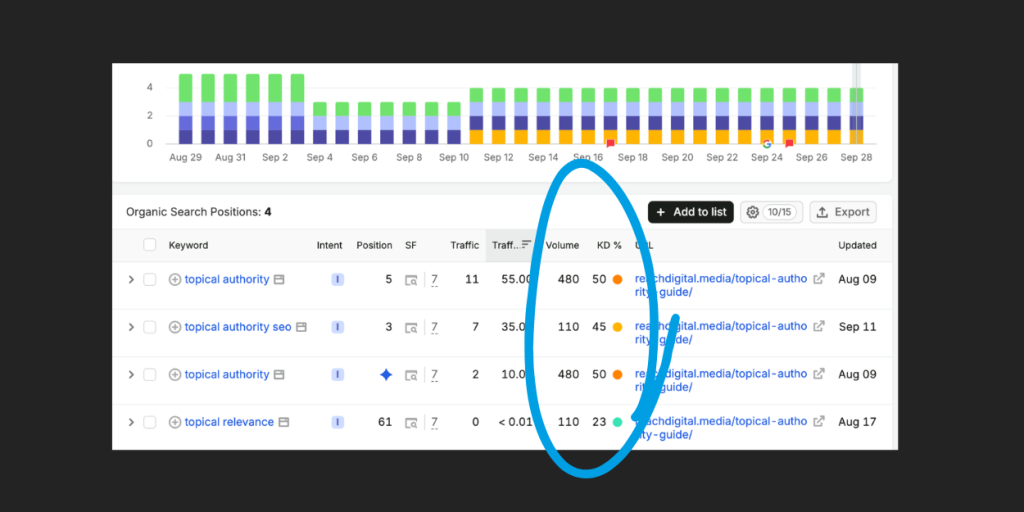
Don’t treat either metric as a pass-or-fail test. A keyword with plenty of searches might be very competitive. A keyword with fewer searches could still be worth writing about if it’s closely related to your business and answers a question your customers ask.
If your website is fairly new, a long-tail keyword can be a good place to start. These are longer, more specific searches like “how to write an SEO optimised blog post” instead of simply “SEO optimised blog” they’re usually easier to rank for and attract the right audience.
Step 2: See What’s Already Ranking Near the Top
You’ve got your keyword and step 1 is complete.
Now don’t start writing just yet there’s one more thing we need to check – what are your competitor articles looking like for your selected keyword?
To understand the benchmark you’re working up against, Google your keyword and click on the first few articles that appear.
Ask yourself:
- What questions do they answer?
- What headings do they use?
- Are there any useful examples?
- Is there anything they’ve missed?
- What structure have they included?
Google is already telling you what it thinks is a good answer. Your job is to create something even better by explaining things clearer, including screenshots or examples and making sure your information is up to date.
Whatever you do, make sure your blog gives readers a reason to choose yours over everyone else’s.
Step 3: Plan A Strong Title and Headings
Now you’ve decided on a keyword and seen what other high ranking articles are including, it’s time to build the framework for your blog.
Start with your title. Think of it as your first impression. It needs to tell Google what your page is about and convince someone scrolling through the search results to click.
A good title is clear, specific and includes your main keyword naturally. Keep it between 50- 60 characters where possible, so it doesn’t get cut off in Google.
If you’re stuck, try one of these title openings:
- ‘How to’ Write an SEO Optimised Blog That Actually Ranks
- 10 ‘Steps to’ Writing an SEO Optimised Blog
- ‘The Complete Guide’ to SEO Blog Writing
- SEO Blog Writing: ‘Everything You Need to Know’
Once you’ve got your title, move onto planning your headings. Think of them as chapters in a book. Each one should answer a question your reader is likely to have, making your blog easy to follow from start to finish.For your headings opt for clear H2 and H3 headings throughout the article. Each heading tells the reader exactly what that section covers. Your main keyword or related phrases should appear naturally in some of these headings - not forced in but woven in where they make sense.
Step 4: Writing an Introduction that Hooks the Reader
The first few lines of your blog are the most important. Why?
Because that’s where people decide whether to stay or leave.
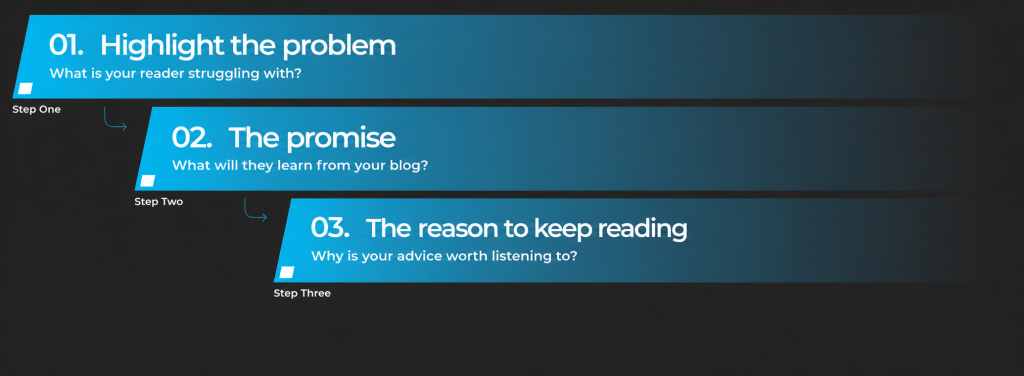
Start by talking about the problem your reader is trying to solve. Show them you understand why they’re there, then explain how your blog is going to help. Don’t make them scroll through five paragraphs before getting to the point. The quicker they realise they’re in the right place, the more likely they are to keep reading.
A simple introduction should include three things:
Step 5: Make Your Blog Useful with Examples and Detail
Once you’ve planned the headings it’s now time to create the body of text. Chronologically work through each heading, genuinely answering the questions your keyword represents. Think about what your reader needs to know to follow your advice, especially if they’re new to the topic.
If you tell them to do keyword research, explain where they can find ideas for keywords, what to look for and how to choose a keyword for their blog.
Don’t be afraid to go into detail where it helps. A quick tip might tell someone what to do, but a useful blog also shows them how. To go the extra mile adding in simple diagrams and examples can help the user, using resources such as ChatGPT to help you create a diagram if you need one, but always check that it’s accurate and easy to understand.
Your own experience matters here, too. If you’ve tried a method, learned from a mistake or found a simpler way to do something, share it. Those details make your advice feel more useful and give readers something they can apply to their own blog.
Step 6: Add Links and Images That Actually Help
Your blog is nearly there. Before you move on, look for places where a link or image would make your advice even more straightforward to follow.
For links: If you’ve covered a point in more detail elsewhere on your website, link to it. You can also link to a trusted external source when it backs up a claim or gives readers something useful to explore. Don’t add links for the sake of it. Make sure each one earns its place.
For images: If you’re explaining where to find something or how to do it, a screenshot can save the reader a lot of guesswork. Use one wherever it makes a step clearer. A stock photo of someone typing at a laptop probably won’t help them write a better blog.
Add descriptive alt text to images that contain useful information, too.
If you’re unsure whether a link or image belongs in the post, ask yourself: will this help someone understand or use my advice? If it will, keep it.
Step 7: Add a Table of Contents
If your blog is fairly long, add a table of contents near the top. It lets readers see what’s covered and jump straight to the section they need, without scrolling through the whole post.
The simplest way to do this is to use your main headings throughout the blog. Add them to the table of contents, then make each one clickable with an anchor link to take the user directly to a specific section on the web page.
It’s a small addition, but on a long guide like this one, it makes finding an answer much easier.
Step 8: Write Your Meta Title and Description
Your blog is written, but there are two more things to check before you publish: the meta title and meta description. You’ll usually find fields for these in your website editor or SEO plugin.
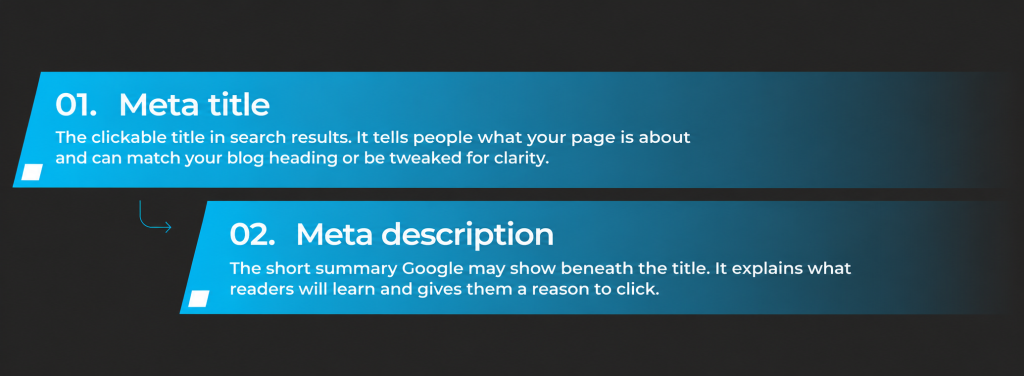
The meta title is the clickable link that Google shows in search results. It tells people what your page is about before they visit it. Yours can be the same as your blog heading, but you can also tweak it to make it clearer in search results.
For this blog, I used:
How to Write an SEO Optimised Blog That Actually Ranks
That tells someone exactly what they’ll find. Try to include your main keyword near the start if it sounds natural, and keep the title fairly short so the useful part is easy to see.
The meta description is the short summary Google may show underneath that title. It’s your chance to explain what someone will learn if they click. For this blog we used:
Learn how to write an SEO optimised blog post, from choosing a keyword and planning your headings to editing your article before you publish.
Aim for around 150–160 characters, including spaces, as a practical guideline. Google has no fixed character limit and may cut the text short depending on the device, so put the most useful information first.
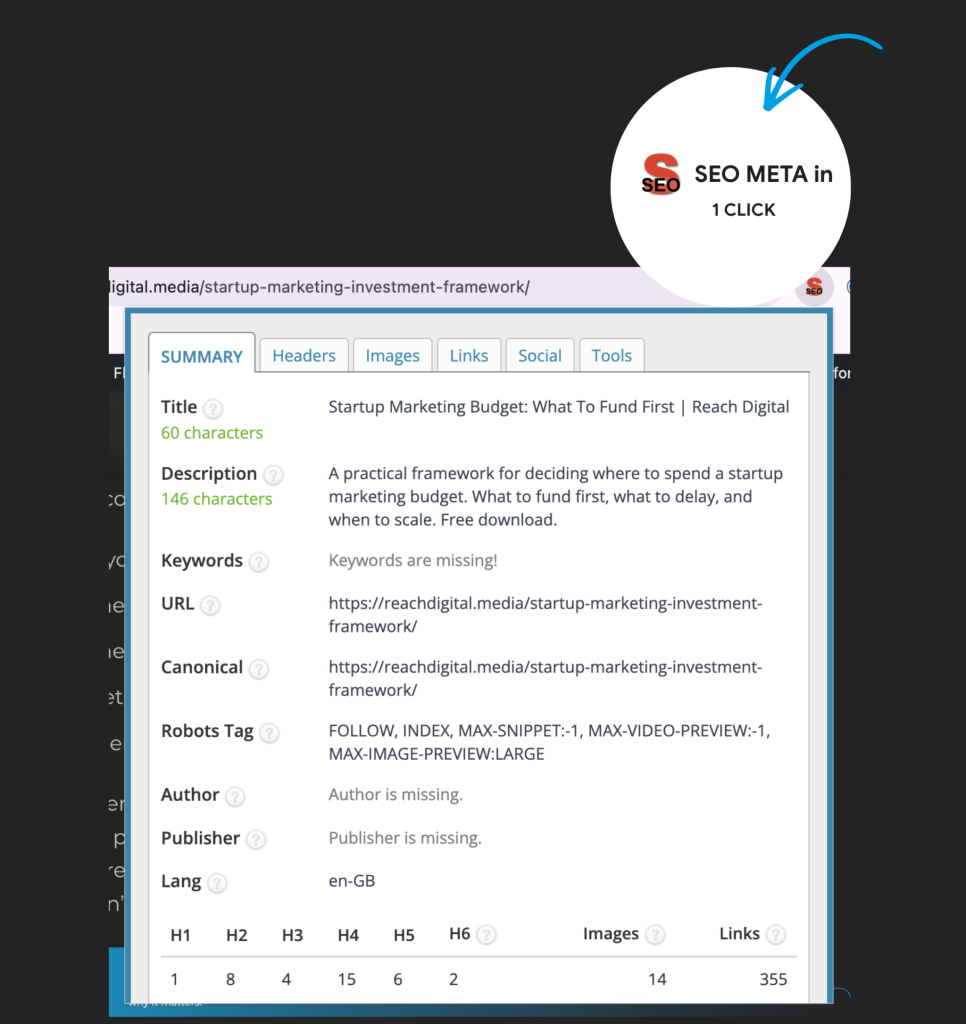
For inspiration, try the SEO META in 1 CLICK Chrome extension. Once installed, open an article ranking for your topic and click the extension to view its page title and meta description. Looking at other examples can help you shape your wording, but make sure yours accurately describes what readers will find in your article.
With your meta title and description in place, give your blog one final read before publishing. Have you answered your reader’s question clearly and made the post easy to follow? If so, you’re ready to share it. You can always revisit it as information changes or you find more useful advice to add.
Publishing is only the beginning. Understanding what your customers search for and which posts bring the right people to your website helps you build on that first article. It gives you a clearer idea of what’s working and what to write next, so you can plan your content with more confidence.
That’s where a wider SEO strategy helps. At Reach Digital, we look at the searches that matter to your business, the content your website needs and what happens after someone lands on it. If you want your blogs to do more than fill a space on your website, take a look at our SEO services. Reach Digital

About the author
Isabella Last
Organic Marketing Specialist
As an Organic Marketing Specialist at Reach Digital, Isabella works with businesses to grow their online presence through SEO, content marketing and organic social media. She develops tailored organic marketing strategies that improve search visibility, strengthen brand awareness and help clients achieve sustainable, long-term growth.
Did you find this article useful? Share it with a friend or colleague
Jump to a section:
- Introduction
- What Makes a Blog Post SEO Optimised?
- 1. Start With Keyword Research
- 2. See What’s Already Ranking Near the Top
- 3. Plan a Strong Title and Headings
- 4. Write and Introduction That Hooks the Reader
- 5. Make Your Blog Useful with Examples and Detail
- 6. Add Links and Images That Actually Help
- 7. Add a Table of Contents
- 8. Write Your Meta Title and Description